
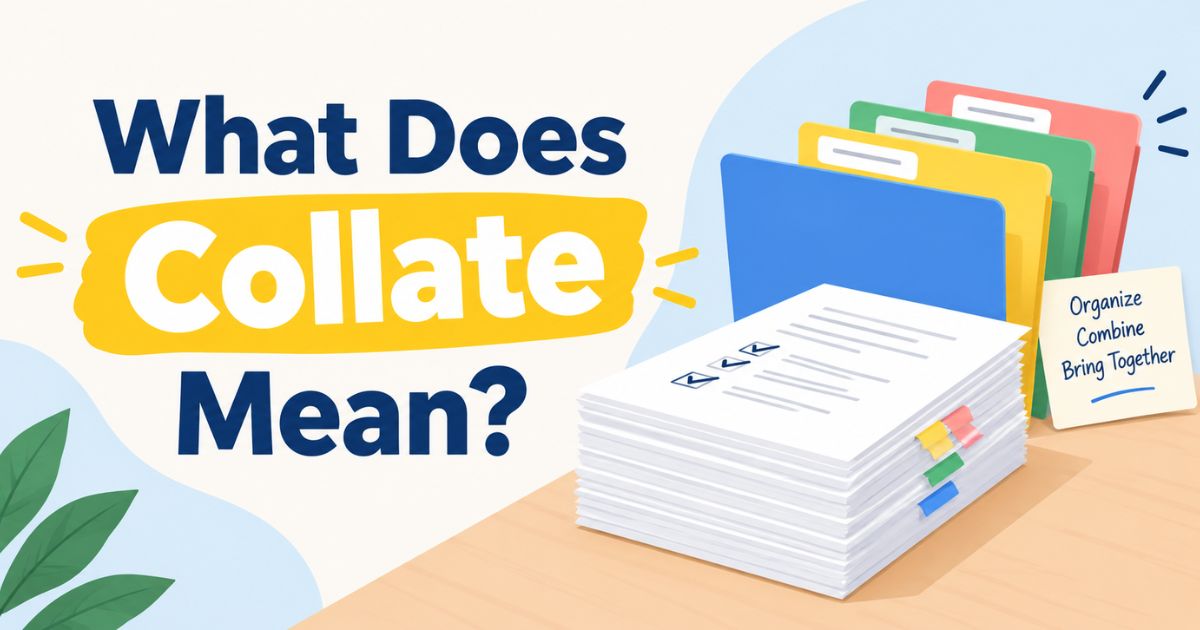

If you’ve ever opened a print dialog box and paused at a checkbox labeled “Collate,” you’re not alone. It’s one of those settings that sits quietly next to “Copies” and “Print Range,” rarely explained, yet capable of turning a simple print job into a disorganized mess if you get it wrong. Most people either ignore it entirely or toggle it at random, hoping for the best, without really understanding what it changes about the final printout.
This guide breaks down exactly what collate means, why it matters, and how to use it correctly whether you’re printing a school report, a business contract, or a stack of handouts for a meeting. By the end, you’ll know precisely when to turn collate on, when to leave it off, and how it fits alongside other common print settings like duplex and booklet printing.
Defining Collate and Its Core Function
At its root, the word “collate” means to collect and arrange things in a specific, logical order. In everyday printing, this translates to one simple job: making sure that when you print multiple copies of a multi-page document, each copy comes out as a complete, correctly ordered set.
Here’s a concrete example. Suppose you’re printing three copies of a four-page report. If collating is turned on, your printer will produce the pages in this order:
1, 2, 3, 4 1, 2, 3, 4 1, 2, 3, 4
Each group of four pages represents one full, ready-to-use copy of the document. You can pick up each set, and it’s immediately usable, nothing out of order, nothing to sort by hand.
Now compare that to what happens when collating is turned off. In that case, the printer groups identical page numbers together instead of full document sets. The output looks like this:
1, 1, 1 2, 2, 2 3, 3, 3 4, 4, 4
You’d end up with three stacks one of all the first pages, one of all the second pages, and so on which you would then have to manually sort and assemble into complete sets. For a short document, this might be a minor inconvenience. For a fifty-page report printed in ten copies, it can turn into a genuinely time-consuming task.
This is why the collate setting exists: it shifts the burden of organizing pages from you to the printer itself.
The History and Evolution of Page Organization
The need to keep pages in order didn’t start with computers or laser printers. Long before digital printing existed, organizations that produced multi-page documents, newspapers, books, legal filings, government reports relied on manual sorting.
Workers would physically walk along tables lined with stacks of individual pages, picking up one sheet from each stack in sequence to assemble a complete document. This process was labor-intensive, slow, and prone to human error; a missed page or a page picked up twice could mean an entire faulty copy.
As mechanical printing presses and photocopiers became more advanced, some of this sorting work was automated through mechanical collating machines, which used rotating trays or moving belts to gather pages from multiple stacks in the correct order.
These machines dramatically sped up the production of multi-page documents, particularly in print shops and large offices that needed to produce many copies quickly.
The arrival of digital printers and photocopiers eliminated the need for separate collating machines almost entirely. Because a digital printer can store the entire document in memory or process it in the exact sequence needed, ordering pages became a matter of software rather than mechanical engineering.
Today, collating is a checkbox or dropdown option built directly into every modern printer driver and print dialog box, whether on a home inkjet printer or a networked office multifunction device. What once required a room full of workers or a dedicated machine can now be accomplished with a single click.
Collate Money Meaning

Occasionally, people encounter the word “collate” outside of a printing context and wonder if it has a financial meaning, perhaps something to do with cash, currency, or profit. It doesn’t. Collate is not fundamentally a financial term, and it does not mean money in any direct sense.
When “collate” is used in a money-related context, it typically refers to the act of collecting and organizing financial documents or data. For example, an accountant might “collate receipts” before filing an expense report, or a finance team might “collate invoices” at the end of the month to prepare for reconciliation.
In these cases, collate simply describes the process of gathering scattered financial records receipts, invoices, payment confirmations, or bank statements and arranging them into a coherent, usable structure.
So if you come across a phrase like “please collate the financial statements,” it means: gather all the relevant statements and organize them in a sensible order (often chronologically or by category), not that you’re being asked to count or generate money.
Usage in Various Professional and Casual Contexts
While collate is most commonly associated with printing, its broader meaning collecting and arranging information makes it useful across a wide range of professional and everyday situations.
In an office setting, someone might be asked to collate meeting notes from several attendees into a single summary document. In education, a teacher might collate student assignments or exam papers before grading, or a researcher might collate survey responses before beginning analysis. Administrative staff often collate forms, applications, or records that arrive from multiple sources and need to be merged into one organized file.
Even outside formal work environments, people use the word casually to describe organizing anything that arrives in a scattered or unordered form for instance, “I need to collate all these photos before I upload them” or “let’s collate our travel receipts before submitting the expense claim.”
In each case, the core idea stays the same: multiple, potentially disorganized pieces of information are being gathered and put into a logical sequence or structure.
Common Misconceptions and Technical Clarifications
Because collate appears in the same print settings menu as several other options, it’s easy to confuse it with related but distinct features. It’s worth being clear about what collate does not do:
- Collate is not stapling. Some printers offer a stapling option separately, often as part of a “finishing” menu. Collating only affects page order; it doesn’t physically bind or staple sets together, though many office printers do let you combine both settings.
- Collate is not double-sided (duplex) printing. Duplex printing controls whether content is printed on one side of the paper or both. You can have collated single-sided prints, collated double-sided prints, or any other combination collate and duplex are independent settings.
- Collate is not booklet printing. Booklet printing rearranges pages so that, once folded and bound, they read in the correct order as a booklet (this often means printing pages in a non-sequential order on the sheet itself). Collate, by contrast, is about the order of complete document sets, not the layout of individual sheets.
Understanding this distinction can save you from frustration when a print job doesn’t come out the way you expected the fix might not be the collate setting at all, but a different one entirely.
Similar Terms and Alternatives in Print Management
Modern print dialog boxes typically include several settings that work alongside but are functionally separate from collate:
- Copies: Determines how many total copies of the document will be printed.
- Uncollated printing: The opposite of collate; groups identical page numbers together rather than complete sets.
- Duplex printing: Controls whether pages print on one or both sides of the paper.
- Booklet printing: Rearranges page order specifically for creating a folded booklet.
- Stapling or finishing options: Physically binds printed pages together, often available only on more advanced office printers or copiers.
Each of these settings can typically be adjusted independently, meaning you can mix and match according to what your document needs. For example, you might choose collated, double-sided, stapled copies for a formal report, but uncollated, single-sided, unstapled pages if you’re printing worksheets that need to be handed out individually.
How to Respond to Printer Settings
Deciding whether to turn collate on or off really comes down to how you intend to use the finished printed material.
- Turn Collate ON if you need each copy of a multi-page document to come out as a complete, ready-to-distribute set. This is the right choice for reports, contracts, presentations, or any document you plan to hand out to multiple people, each of whom needs their own full copy.
- Turn Collate OFF (Uncollated) if you actually want identical pages grouped together. This can be useful in specific situations for example, if you’re printing individual worksheets that you plan to hand out page-by-page to different people or stations, rather than distributing complete document sets.
- Adjust Duplex printing separately if you want to save paper by printing on both sides.
- Use Booklet settings if your end goal is a folded, book-style publication rather than flat, stapled sheets.
Most printer software defaults to collated printing when producing multiple copies of a multi-page document, simply because it’s the setting people need most often. Still, it’s worth double-checking before hitting print, especially for large jobs where an error in this setting could mean re-printing everything or spending extra time manually sorting pages.
Collate Data Meaning
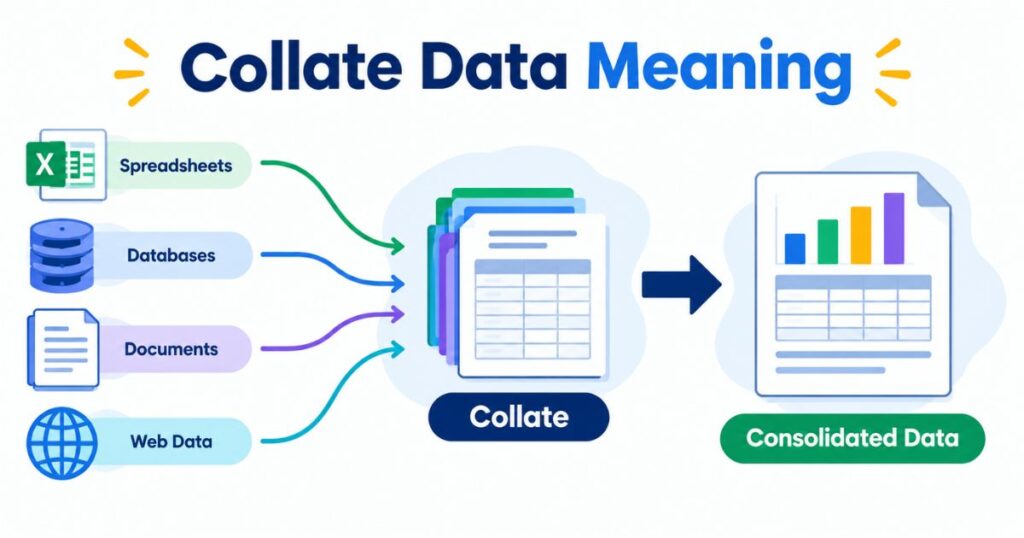
Outside the world of paper and printers, “collate” shows up frequently in the context of data and research. Collating data means gathering information from multiple different sources: surveys, databases, spreadsheets, reports, or observations and organizing it into a single, consistent structure that can be easily reviewed or analyzed.
This step usually happens before any formal data analysis begins. A researcher collecting responses from several different survey platforms, for instance, would need to collate that data into one unified spreadsheet or database before running statistical tests.
Also Read This: NVM Meaning in Text
Similarly, a business analyst gathering sales figures from different regional offices would collate those figures into a single master report before drawing conclusions about overall performance.
In this sense, “collating data” is conceptually similar to collating printed pages: both involve taking scattered pieces and organizing them into a coherent, usable whole. The main difference is the medium one deals with physical pages, and the other with digital records or figures.
Regional and Cultural Differences in Printing
The fundamental meaning of “collate” is consistent across English-speaking countries and industries. Whether you’re using a printer in the United States, the United Kingdom, Australia, or elsewhere, the collate setting performs the same basic function: assembling complete, correctly ordered copies of a multi-page document.
That said, some practical differences can exist between regions and workplaces. Standard paper sizes vary (Letter and Legal in North America versus A4 and A3 in much of the rest of the world), and printer software interfaces can differ depending on the manufacturer, operating system, or language settings.
Some organizations also have their own internal conventions for how documents should be assembled, stapled, or bound, which can affect how collate is used in practice even though its core meaning doesn’t change.
Usage in Online Communities and Dating Apps
Given how many ordinary words take on new, informal meanings online, it’s reasonable to wonder whether “collate” has picked up any slang usage for instance, on dating apps or social platforms. As of now, collate is not a recognized or widely used piece of dating slang, nor does it carry any standard alternative meaning in online communities.
If you do come across the word “collate” used in an unusual or unexpected way on a social platform, its meaning will most likely depend entirely on the context of that specific conversation, rather than reflecting any broader or commonly understood slang usage. In the vast majority of cases, though, “collate” simply retains its standard dictionary meaning: to collect and arrange things in order.
Hidden or Offensive Meanings

Some words develop hidden or offensive connotations over time, but collate isn’t one of them. It remains a fairly neutral, technical-sounding word rooted in the ideas of collecting, comparing, and organizing information. There’s no widely recognized offensive meaning attached to it.
If someone were to use the word in an unusual or unexpected way perhaps as part of an inside joke, a niche subculture reference, or a specific online community’s private vocabulary that meaning would be entirely dependent on that particular context, rather than reflecting anything inherent to the word itself. For nearly all everyday and professional purposes, you can use “collate” without concern about hidden or negative implications.
Suitability for Professional Communication
Because of its neutral, technical nature, “collate” is entirely appropriate for professional communication. It’s a word you’ll frequently encounter in business memos, academic instructions, administrative procedures, research methodology sections, and standard office printer documentation.
Using it correctly whether you’re asking a colleague to collate a set of documents or configuring a printer for a big report signals familiarity with common workplace terminology and helps avoid confusion about what exactly needs to be done with a stack of pages or files.
Final Thoughts
At the end of the day, the meaning of “collate” when it comes to printing is refreshingly simple: it’s the setting that ensures each copy of a multi-page document comes out as a complete, correctly ordered set, rather than as scattered piles of identical page numbers.
Turning collate on saves time and eliminates the tedious task of manually sorting printed pages, which becomes especially valuable as document length and copy count increase.
Beyond the printer, the broader meaning of “collate” to collect and organize explains why the same word shows up in contexts as varied as financial recordkeeping, data analysis, and everyday tasks like sorting photos or receipts.








One thought on “What Does Collate Mean When Printing? A Simple Guide”